how can i use left arrow key with if function
Hi all,
I'm trying to learn Intersystems Iris. And I have a question.
How can I use left arrow key with if function. Also if it is possible, teach me that how can I make backspace to edit data?
P.S Sorry for bad English.
new var,key,curPos
w $char(27)_"[2J"_$char(27)_"[H"
s var="12345abcde"
s curPos=$length(var)+1
w $char(27)_"[3;1H"_"First var= "_var
for {
read *key
#; Left Arrow Key
if key="?" {
}
#; Right Arrow Key
elseif key="?" {
}
#; Backspace
elseif key=8 {
}
elseif key=9 {
quit
}
}
w !,"Last var= ",var
Kind Regards,
Ikh
Comments
You should use the system variable $KEY to get input the terminator
doc in $KEY
suggested code:
USER>read *in set key=$key
;; after arrow back
USER>ZZDUMP in,key
0000: 32 37                         27
0000: 1B 5B 44                      .[D
so you get the full escape sequence in the variable key
or just 08 for backspace, .....
thank you very much
Hi @Ikh Nam, welcome to the InterSystems Developer Community 👋
Just a quick note: we have 5 other regional Developer Communities in different languages. This way you may choose the language you prefer.
You can switch to another Community in the top right corner of the page (EN menu).
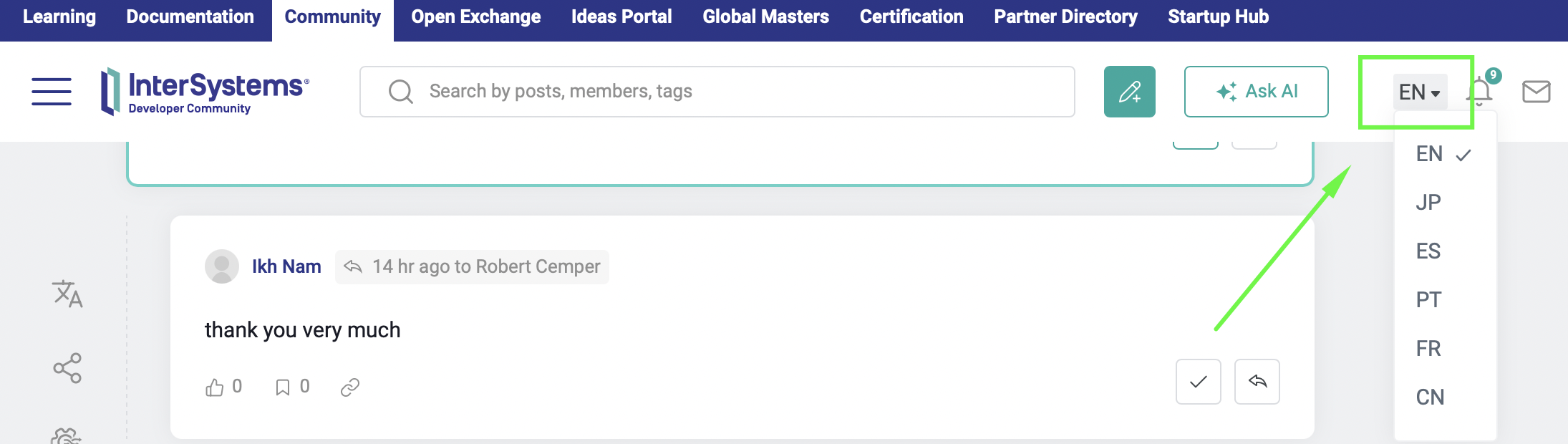
Hope this makes your experience with the community even better!