Complementing IRIS with MLflow for a Continuous Training (CT) pipeline
A Continuous Training (CT) pipeline formalises a Machine Learning (ML) model developed through data science experimentation, using the data available at a given point in time. It prepares the model for deployment while enabling autonomous updates as new data becomes available, along with robust performance monitoring, logging, and model registry capabilities for auditing purposes.
InterSystems IRIS already provides nearly all the components required to support such a pipeline. However, one key element is missing: a standardised tool for model registry. In this article, I present this approach (v0.1.0), which combines the strengths of IRIS with the open-source AI engineering platform MLflow. Together, they act as complementary tools for building an effective Continuous Training (CT) pipeline.
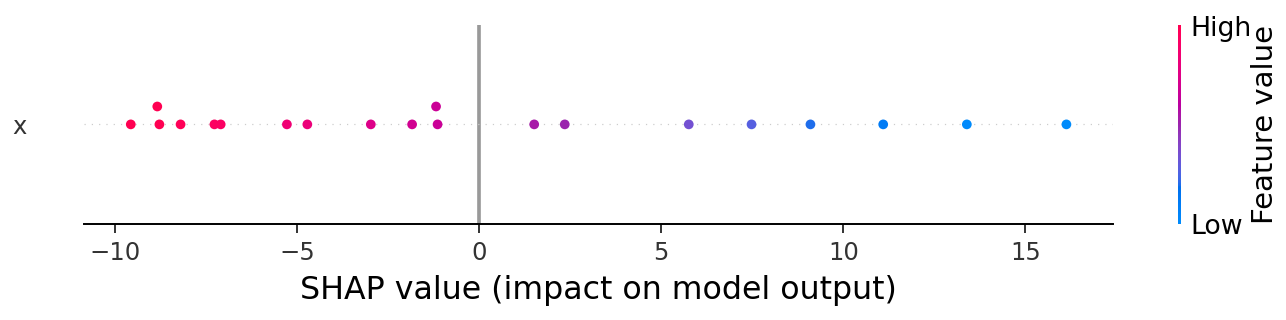
The implementation in this repo leverages MLflow's built-in configuration to store SHAP explainers to provide explanations behind the predictions made by the corresponding model made at the time, including "black-box" complex ones such as Random Forest, XGBoost, Neural Networks, etc.
Demo: https://youtu.be/qLdc4jhn83c
CT Pipeline Components
The theory behind the modules of this CT pipeline is based on the industry standard for MLOps level 1 defined by Google in this article, and the implementation of each of its components leverages the best features of both IRIS and MLflow, highlighted in red as seen in the image below:
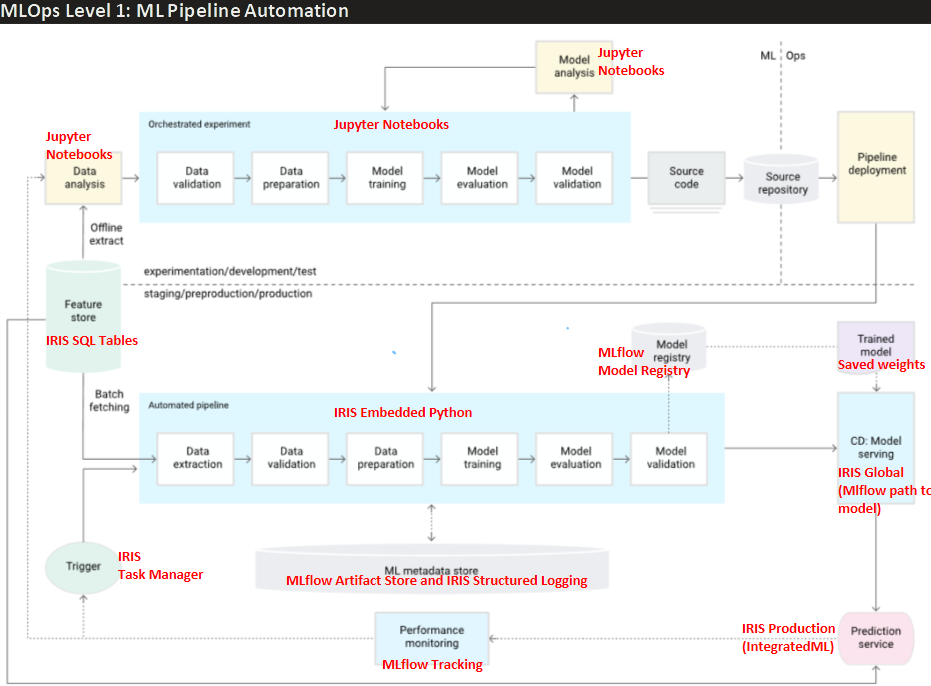
For those new to CT pipelines, the image above describes how a traditional experimentation phase of a Data Science project (upper section "experimentation/development/test"), usually done in Jupyter notebooks, is transformed into a production-grade deployment of the developed model that allows continuous monitoring of performance over time, and automatic retraining whenever model performance degrades. All this with proper model versioning and logging for auditing purposes.
We delve into the details on the README of the repo, but for early understanding of each component, we briefly define below what each one does, and how that relates to the IRIS/MLflow tool chosen for that purpose.
- Feature Store: Is the single source of truth for sourcing the data, and where every constant parameter or definition related to the data itself is defined, which might vary across clients and use cases (e.g. each client might define readmission after 15, 30, or any other number of days. Late arrival to an appointment might be considered arriving after 5, 10, or any other number of minutes). IRIS SQL Tables' multidimensional globals allow high-speed storage, and stored computed properties ease the definition of custom properties along with the raw data itself.
- Automated Pipeline: Is the formalized and clearly modularized version of the "orchestrated experiment" that's usually done in a jupyter notebook, prepared to be executed every time the model has to be retrained if required. It contains every data and model-training process needed to get the model with the best overall performance. In this section, every constant related to the model itself chosen during the experimentation phase (previously done by data scientists in jupyter notebooks) is defined (e.g. seed, test size, K-folds for validation, etc). In our implementation, we leverage embedded python to easily access IRIS classes directly, along with all required standard Machine Learning python libraries (Pandas, scikit-learn, MLflow, etc).
- Model Registry: During Training, each model that is trained is logged into the MLflow's backend registry, automatically configured when building the project. We can at any moment re-download models from there and query performance of previous models.
- Trained Model: Though the MLflow backend has an Artifact Store where the weights of all trained models are stored, this project additionally saves the artifacts directly into a persistent location (Docker volume) for quick loading when needed. In case these are deleted, they are downloaded and re-saved in the same location from the MLflow Artifact Store.
- Model Serving: This block is in charge of managing the model that is served to production. We store the path to the model's artifacts to be used in production in an IRIS global, which is what gets updated whenever necessary. In this repo we directly promote the new model if it performs better than the previous one, but in a real scenario this might require human approval. We decided to store the path to the model in a global and not the model itself because doing that would imply additional processing time for serialization and deserialization of the python object, whereas text is faster and straightforward to read from a global regardless of classes in the whole repository, making it easy and fast to read anywhere.
- Prediction Service: Is the actual service that a client would use to request inferences on the current model set in production. At the moment this repo uses an embedded python method for this, but this block can potentially be improved by transforming the model into PMML format to make the production service executable using Integrated ML for any sklearn models, or any python model like LightGBM using the upcoming IntegratedML custom models in IRIS 2026.1.
- Performance Monitoring: Is any sort of monitoring that can be made implemented to keep track of the performance of the current model in production, along with previous ones if necessary. For this we leverage MLflow's UI, where we can make custom plots with any of the variables logged, datetime, performance metrics, both for each model and for all models historically trained.
- Trigger: Is whatever activates the execution of the Automated Pipeline. It can be data drift, model degradation beyond a certain threshold, availability of a certain amount of new data with enough ground truth, or a simple periodic schedule. In this project we directly compare against a defined threshold of the R² metric, so every time performance falls below the value in MLpipeline.PerformanceMonitoring.R2THRESHOLD, we execute the automated pipeline. For this task, another valid approach would be to use the task manager to schedule a method that looks at the performance registered during performance monitoring in MLflow tracking, and decide whether to retrain a new model.
The addition of MLflow enables straightforward historical performance monitoring of models over time through a single, locally hosted UI in a Docker container. It allows you to store and access artifacts from all previously trained models, including those deployed to production. These artefacts can be downloaded whenever needed, along with standard and custom performance metrics and custom visualisations.
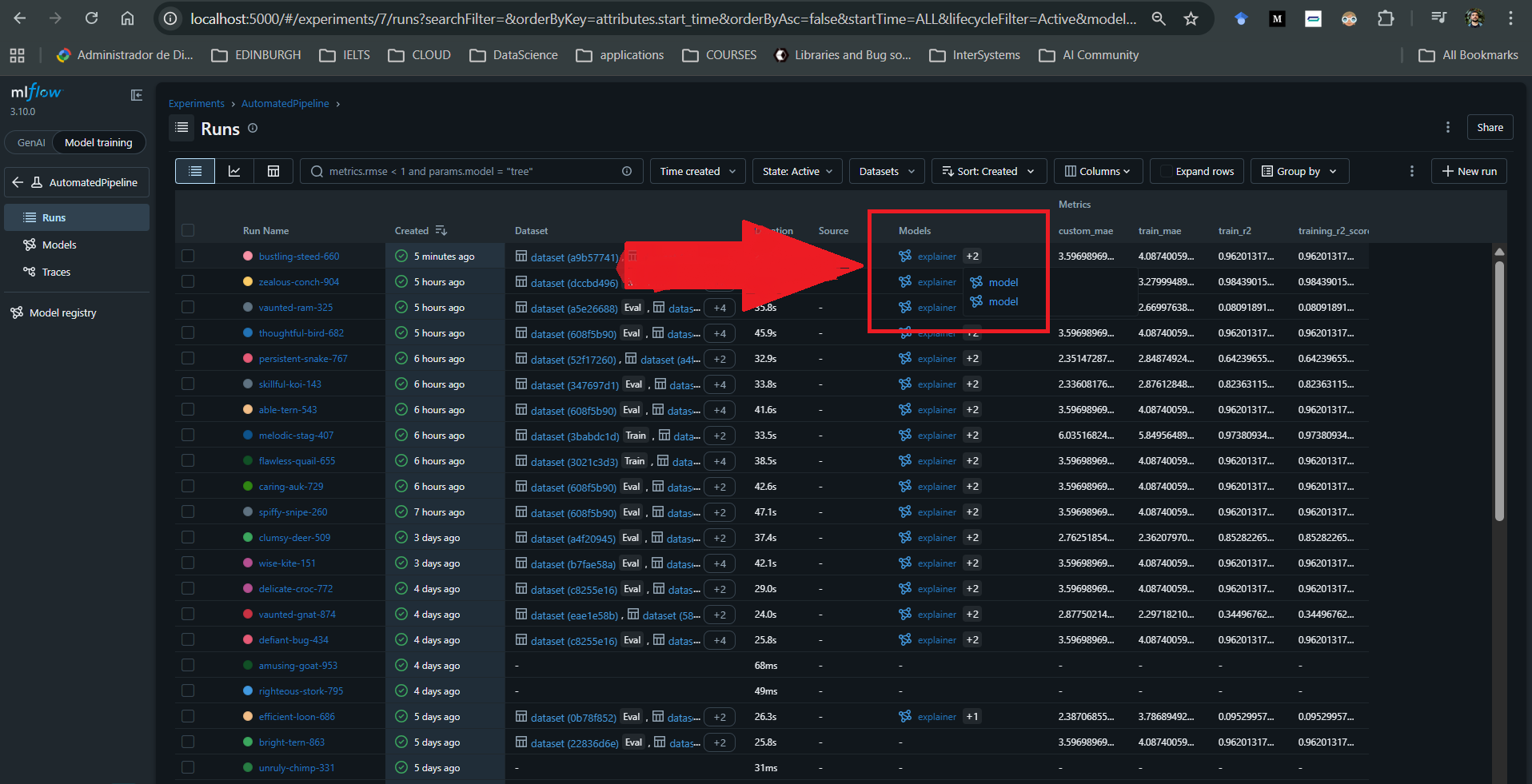
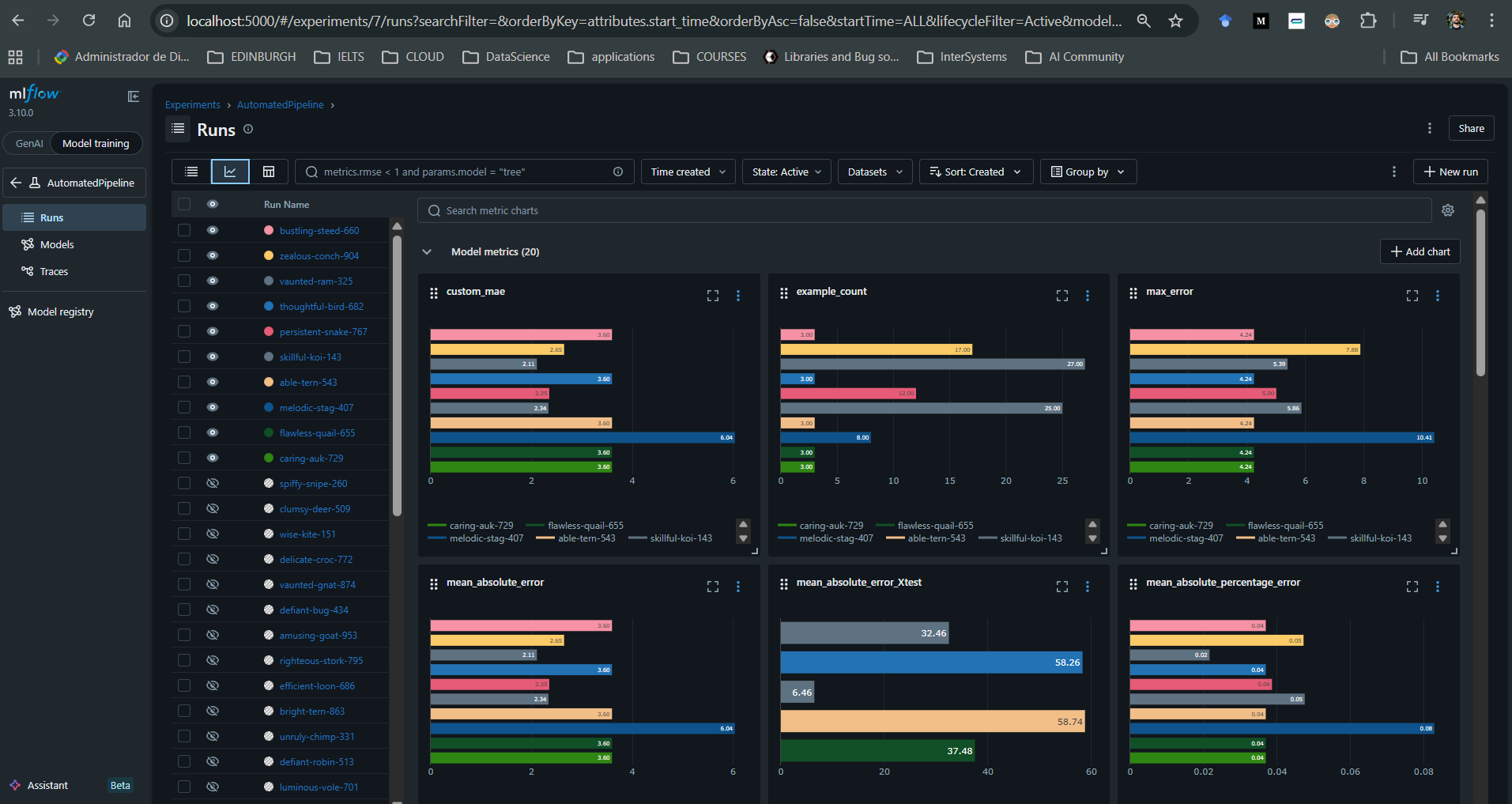
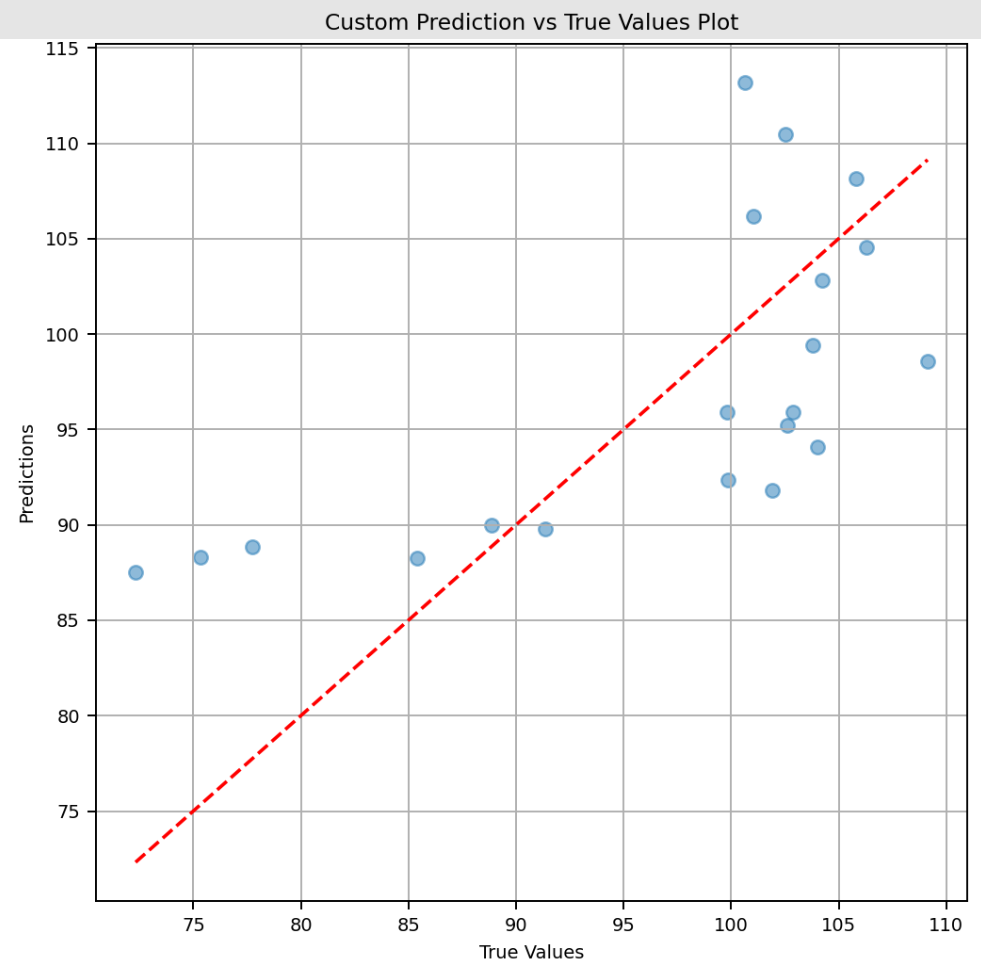
For each run associated with a model, it is also possible to log additional artifacts such as SHAP explainers, custom plots, and user-defined metrics.
The implementation of this CT pipeline leverages Structured Logging to separate the logs from this pipeline from the rest of the system's, into a persistent path inside the volume of the container hosting IRIS.
Future Work
- In the future, this pipeline can leverage the newly released feature in IRIS 2026.1: IntegratedML Custom Models, to make the prediction service easier through SQL commands, regardless of the model (added support for LightGBM, NNs, XGBoost, etc).
- Right now, the model is only updated automatically by retraining on new data, but the hyperparameters remain static. By following the instructions in this guide this pipeline could be improved by introducing hyperparameter flexibility and allowing the model to be re-optimised using the open-source hyperparameter optimisation framework Optuna
- In this project, when prediction performance falls below a predefined threshold, the model is retrained and automatically updated. However, in some cases, human approval should be required before making changes in production, which is something that should be considered in a real-life scenario.
Comments
Thanks for your contribution, Jorge!
Welcome to our Community :)