Using the IRIS Analytics Business Intelligence REST API
Did you know that you can get IRIS Analytics features as an REST API?
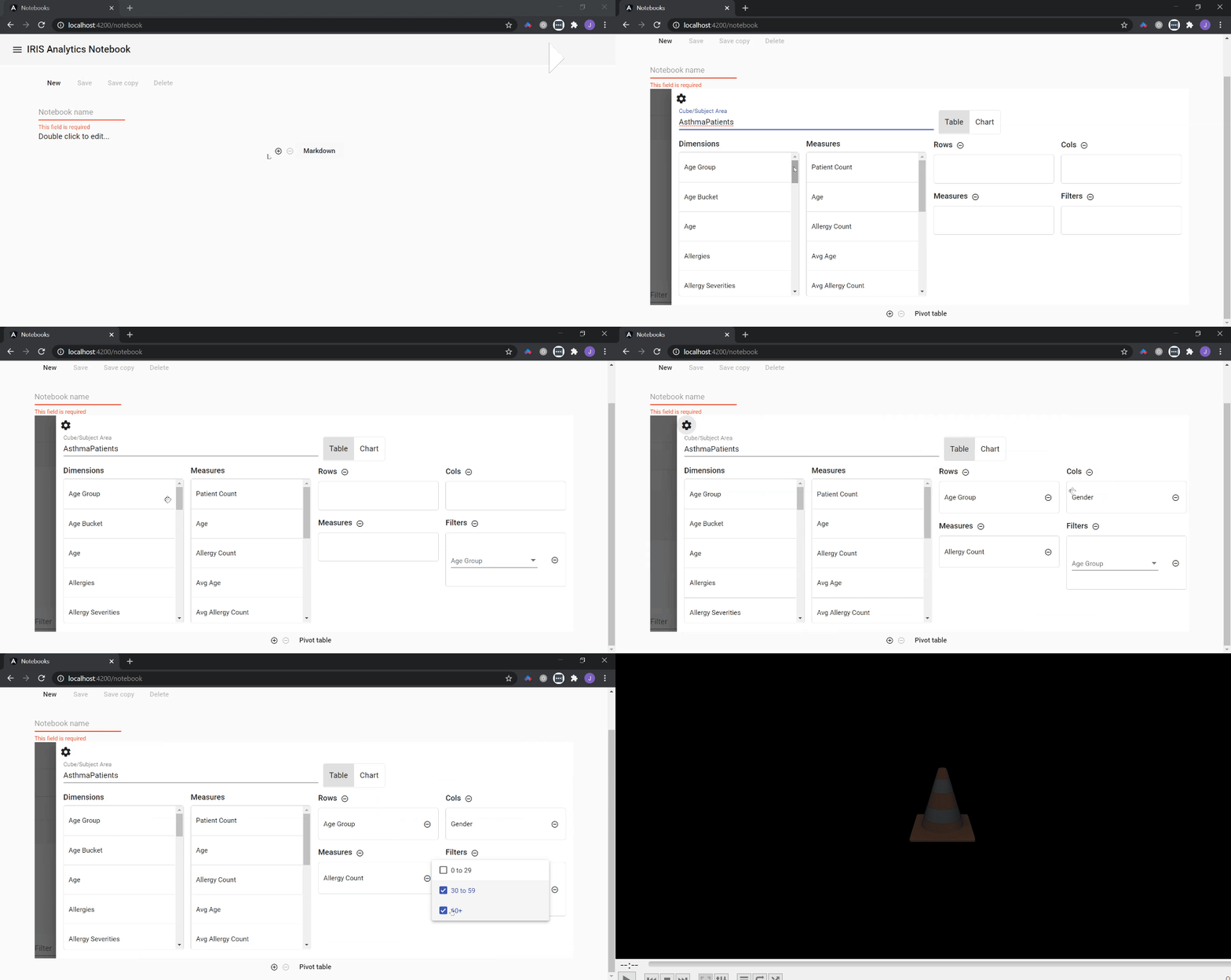
In this article I'll show some endpoints of IRIS Analytics Business Intelligence REST API, used in my project iris-analytics-notebook to create a pivot table component in Angular.
Getting all cubes in namespace
Method: POST Endpoint:
/api/deepsee/v1/:namespace/Info/Cubes
Example:
http://localhost:52773/api/deepsee/v1/myapp/Info/Cubes
Response example:
Getting all dimensions from a specified cube:
Method: POST Endpoint:
/api/deepsee/v1/:namespace/Info/Filters/:cube
Example:
http://localhost:52773/api/deepsee/v1/myapp/Info/Filters/AsthmaPatients
Response example:
Getting all measures from a specified cube:
Method: POST Endpoint:
/api/deepsee/v1/:namespace/Info/Measures/:cube
Example:
http://localhost:52773/api/deepsee/v1/myapp/Info/Measures/AsthmaPatients
Response example:
Getting all members from a specified dimension:
Method: POST Endpoint:
/api/deepsee/v1/:namespace/Info/FilterMembers/:cube/:dimension
Example:
http://localhost:52773/api/deepsee/v1/myapp/Info/FilterMembers/AsthmaPatients/[AgeD].[H1].[Age Group]
Response example:
Executing a MDX query:
Method: POST Endpoint:
/api/deepsee/v1/:namespace/Data/MDXExecute
Body:
{
    "MDX": "<query text>"
}
Example:
http://localhost:52773/api/deepsee/v1/myapp/Data/MDXExecute
{
    "MDX": "SELECT NON EMPTY HEAD(NONEMPTYCROSSJOIN([GenD].[H1].[Gender].Members, {[Measures].[Allergy Count]}), 2000, SAMPLE) ON 0,NON EMPTY [AgeD].[H1].[Age Group].Members ON 1 FROM [AsthmaPatients] %FILTER %OR({[PatGrpD].[H1].[Tested].&[Yes]})"
}
Response example:
Now, you can grab all raw data from server, you can use a lot of JavaScript libraries and/or frameworks to create riches UI. You can check out an example using Angular and Angular Material here.
Discussion (0)1