Storing data for classes and their superclas separately
Recently, a question on the Community was asked by @Vermon Ferre about storing data from inherited classes in different globals. So, I decided to simulate the following behavior: I created a superclass called Article.MainClass and two subclasses, Article.Class1 and Article.Class2. By default, when each class extends %Persistent IRIS creates independent storage structures for them. This will work as intended if the first class in the list of superclasses is %Persistent. But it also means that if there are any parameters in the main class, they will be lost, because only parameters from the first class in the list get inherited.

Class Article.MainClass Extends (%Persistent, %Populate)
{

Storage Default
{
<Data name="MainClassDefaultData">
<Value name="1">
<Value>%%CLASSNAME</Value>
</Value>
</Data>
<DataLocation>^Article.MainClassD</DataLocation>
<DefaultData>MainClassDefaultData</DefaultData>
<IdLocation>^Article.MainClassD</IdLocation>
<IndexLocation>^Article.MainClassI</IndexLocation>
<StreamLocation>^Article.MainClassS</StreamLocation>
<Type>%Storage.Persistent</Type>
}
}

Class Article.Class1 Extends (%Persistent, Article.MainClass, %Populate)
{

Storage Default
{
<Data name="Class1DefaultData">
<Value name="1">
<Value>%%CLASSNAME</Value>
</Value>
</Data>
<DataLocation>^Article.Class1D</DataLocation>
<DefaultData>Class1DefaultData</DefaultData>
<IdLocation>^Article.Class1D</IdLocation>
<IndexLocation>^Article.Class1I</IndexLocation>
<StreamLocation>^Article.Class1S</StreamLocation>
<Type>%Storage.Persistent</Type>
}
}

Class Article.Class2 Extends (%Persistent, Article.MainClass, %Populate)
{

Storage Default
{
<Data name="Class2DefaultData">
<Value name="1">
<Value>%%CLASSNAME</Value>
</Value>
</Data>
<DataLocation>^Article.Class2D</DataLocation>
<DefaultData>Class2DefaultData</DefaultData>
<IdLocation>^Article.Class2D</IdLocation>
<IndexLocation>^Article.Class2I</IndexLocation>
<StreamLocation>^Article.Class2S</StreamLocation>
<Type>%Storage.Persistent</Type>
}
}
Because I'm lazy, I included %Populate in the inheritance list. The reason the data remains separate, even though Class1 and Class2 inherit from MainClass, is due to the Storage Definition generated by the compiler. If you look at the DataLocation tag in the XML storage block, you’ll see that each class points to its own unique global:
Article.MainClass uses ^Article.MainClassD
Article.Class1 uses ^Article.Class1D
Article.Class2 uses ^Article.Class2D
Because these "Data Locations" are unique, an instance of Class1 is never physically written into the same global as a standalone instance of MainClass.
We can see that it works as it is supposed to in the globals after calling Populate() for all classes.
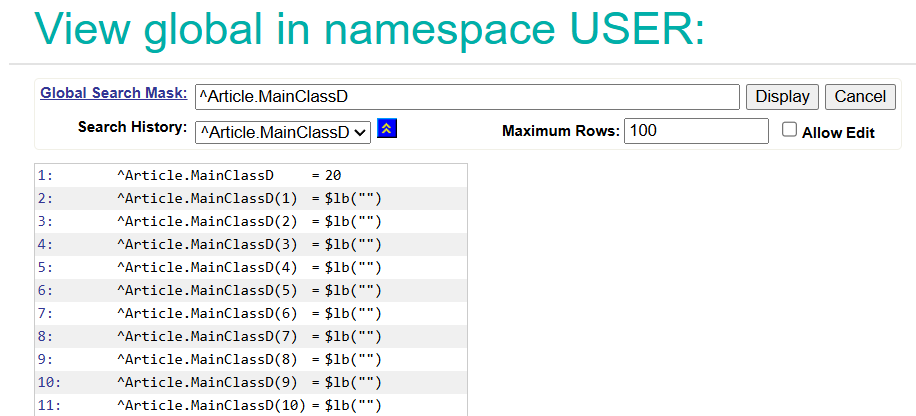
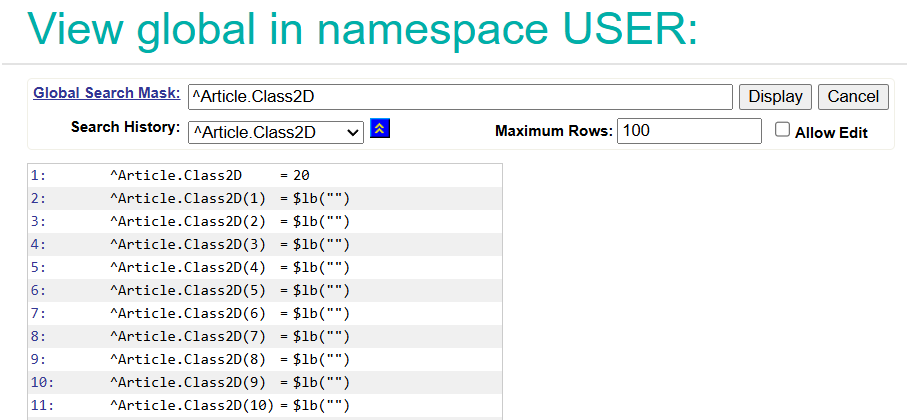
To see how actual data is organized, I added properties to the hierarchy: MainProp in the superclass, and Class1Prop and Class2Prop in the respective subclasses.
Class Article.MainClass Extends (%Persistent, %Populate)
{

Property MainProp As %Integer;

Storage Default
{
<Data name="MainClassDefaultData">
<Value name="1">
<Value>%%CLASSNAME</Value>
</Value>
<Value name="2">
<Value>MainProp</Value>
</Value>
</Data>
<DataLocation>^Article.MainClassD</DataLocation>
<DefaultData>MainClassDefaultData</DefaultData>
<IdLocation>^Article.MainClassD</IdLocation>
<IndexLocation>^Article.MainClassI</IndexLocation>
<StreamLocation>^Article.MainClassS</StreamLocation>
<Type>%Storage.Persistent</Type>
}
}

Class Article.Class1 Extends (%Persistent, Article.MainClass, %Populate)
{

Property Class1Prop As %Date;

Storage Default
{
<Data name="Class1DefaultData">
<Value name="1">
<Value>%%CLASSNAME</Value>
</Value>
<Value name="2">
<Value>Class1Prop</Value>
</Value>
<Value name="3">
<Value>MainProp</Value>
</Value>
</Data>
<DataLocation>^Article.Class1D</DataLocation>
<DefaultData>Class1DefaultData</DefaultData>
<IdLocation>^Article.Class1D</IdLocation>
<IndexLocation>^Article.Class1I</IndexLocation>
<StreamLocation>^Article.Class1S</StreamLocation>
<Type>%Storage.Persistent</Type>
}
}

Class Article.Class2 Extends (%Persistent, Article.MainClass, %Populate)
{

Property Class2Prop;

Storage Default
{
<Data name="Class2DefaultData">
<Value name="1">
<Value>%%CLASSNAME</Value>
</Value>
<Value name="2">
<Value>Class2Prop</Value>
</Value>
<Value name="3">
<Value>MainProp</Value>
</Value>
</Data>
<DataLocation>^Article.Class2D</DataLocation>
<DefaultData>Class2DefaultData</DefaultData>
<IdLocation>^Article.Class2D</IdLocation>
<IndexLocation>^Article.Class2I</IndexLocation>
<StreamLocation>^Article.Class2S</StreamLocation>
<Type>%Storage.Persistent</Type>
}
}
When I recompiled and populated the data, the separation became even clearer through the <Storage> block in the class definition.
The <Data name="...DefaultData"> section is essentially a map that tells IRIS exactly which piece of data goes into which node of the global. In Article.Class1, the storage XML looks like this:
<Data name="Class1DefaultData">
<Value name="1"><Value>%%CLASSNAME</Value></Value>
<Value name="2"><Value>Class1Prop</Value></Value>
<Value name="3"><Value>MainProp</Value></Value>
</Data>
This XML tells us that when a Class1 object is saved to ^Article.Class1D, the first piece of the global string is the class name, the second is the subclass property (Class1Prop), and the third is the inherited property (MainProp).
Now, when I call Populate() for all classes, I confirmed that ^Article.MainClassD only contains instances created specifically as MainClass objects, holding only the MainProp value. Meanwhile, the subclass globals hold their specific properties alongside the inherited ones.
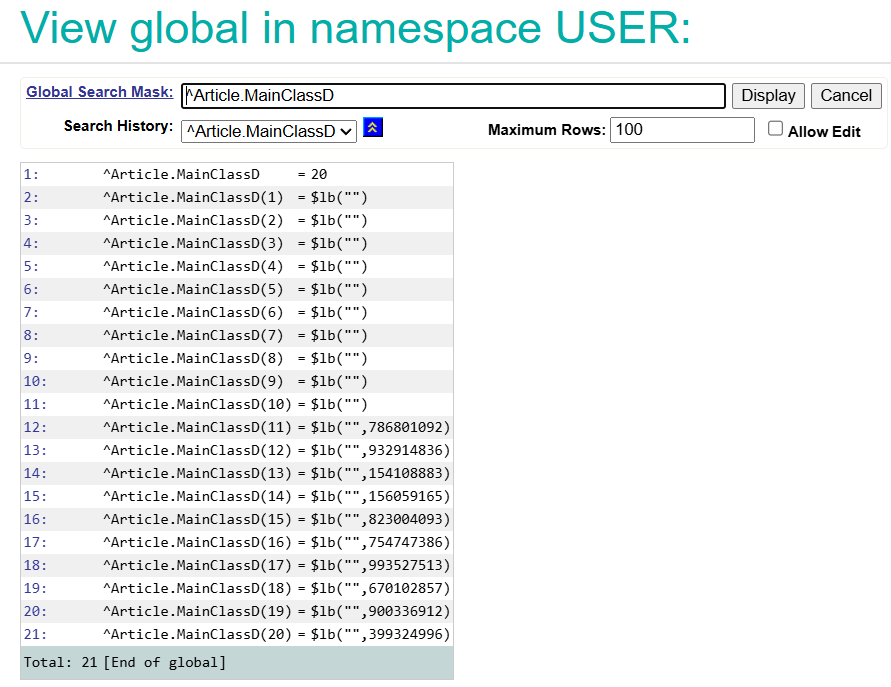
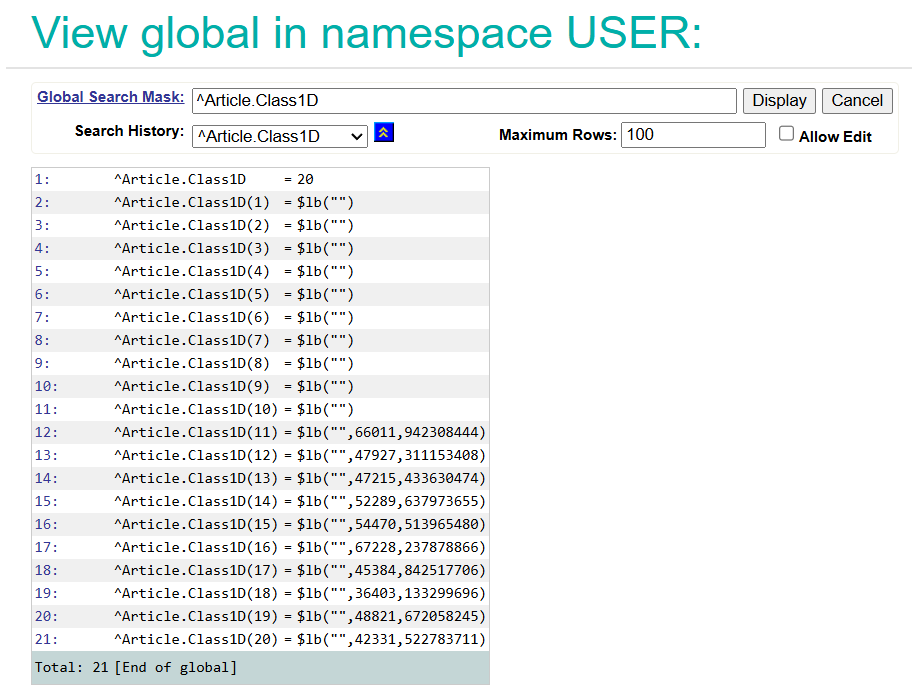
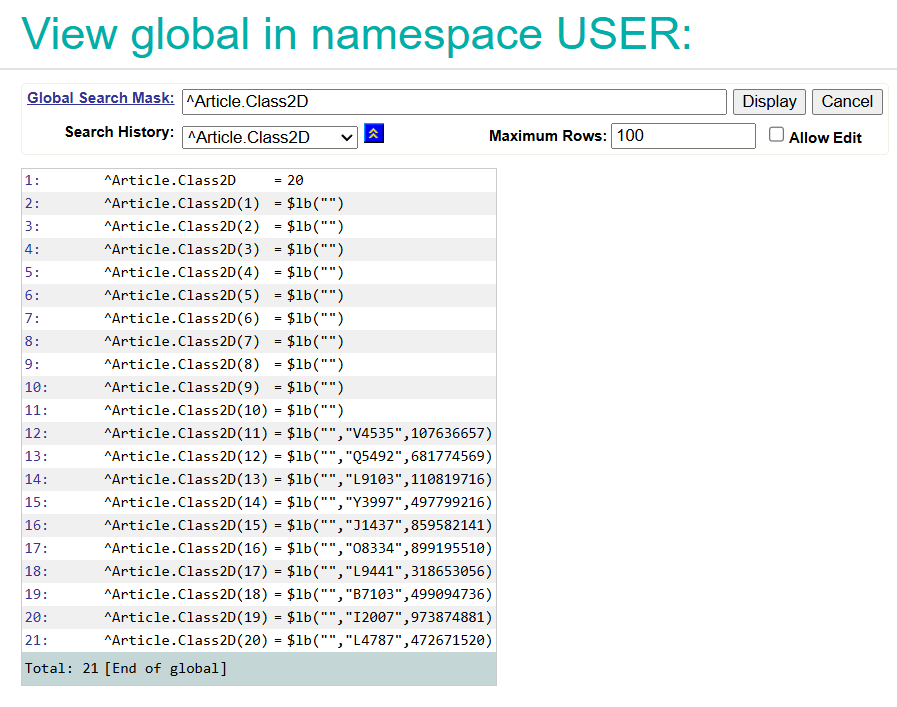
This architecture allows querying a specific subclass with high performance, because the database doesn't have to filter through a massive shared table to find the records.
Comments
THANK YOU @Iryna Mykhailova !
You describe exactly the traditional multi-class/multi-table split
that I mentioned (and was too lazy to type) in my recent article
Hand crafted partitioning
🌻