Unrecognized class in a Production Business Operation call
Hi Guys,
I've this Business operation pointing to my DSN as below
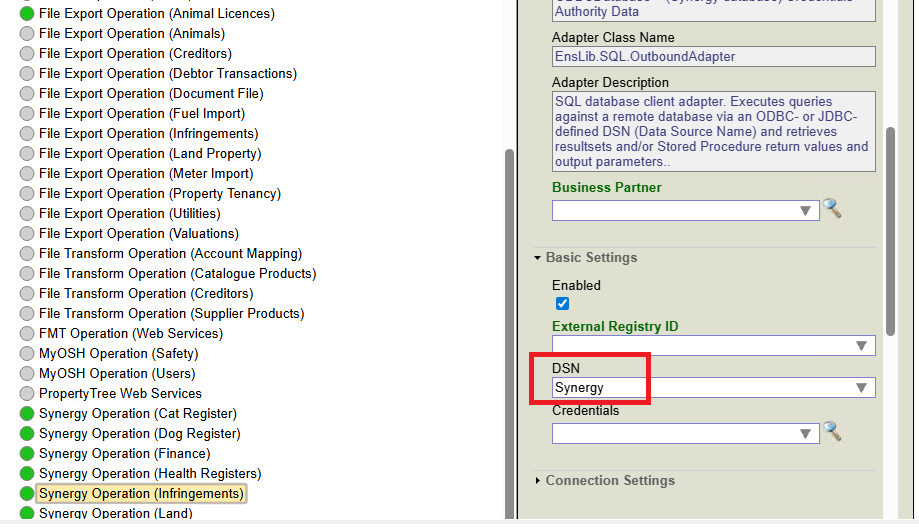
where its calling the this method, but for some reason its not recognizing

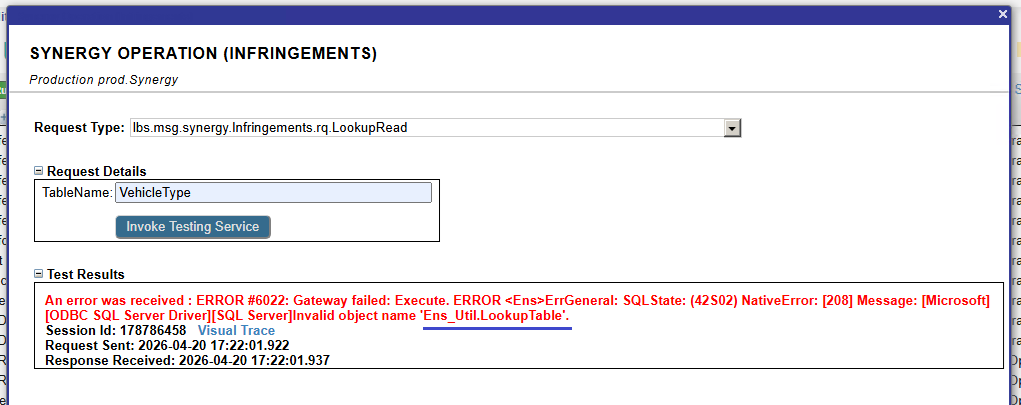
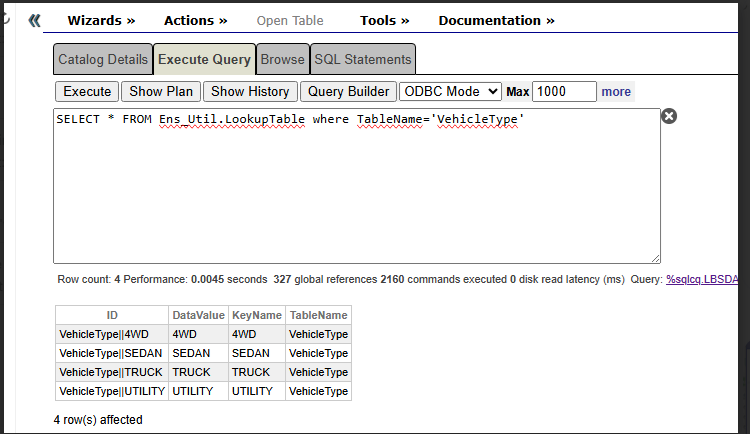
I can query the class from SMP with no issues, and also the Business Operation works fine if I use table from my Synergy DSN but not sure why is not recognizing Ens.Util.LookupTable system table do I need to include or initialise something ?
Thanks
Comments
The lookup read code seems ok. the error suggests that the table Ens.Util.LookupTable doesn't exist in SQL DB.
Are you sure that table you can successfully call from the portal is not local in IRIS?
table doesn't exist in my datasource , I'm using IRIS to connect to an external DSN, the tables from my DSN works but not the Ens.Util.LookupTable IRIS system table which I though by default it should recognize it.
Thanks
Hey Nezla, if you are looking to interact with an internal table, then using the outbound adapter for SQL is not what will work for you. This is because the adapter relies on the servers ODBC config to look for the specified table in the external database based on the DSN you've configured.
You will instead want to swap your ObjectScript to something like:
Set tStatement = ##class(%SQL.Statement).%New()
Set tQuery = "SELECT * From Ens_Util.LookupTable WHERE TableName ='"_tTable_"'"
$$$THROWONERROR(tSC,tStatement.%Prepare(tQuery))

Set tResult = tStatement.%Execute()

While tResult.%Next(){

	//Do what you need to with the results here

	$$$TRACE("Result: "_tResult.KeyName_", "_tResult.DataValue)

}
Then, if you still need to also query for something in the external database based on the DSN configured, then you can interact with the external database using the ..Adapter.ExecuteQuery approach you had attempted.
Additionally, it's best that you avoid concatenation for building the string of your query, and should instead use parameters to avoid issues with unexpected characters breaking your query (or, in some scenarios, opening yourself up to exploits via SQL injection).
My example above should instead be:
Set tStatement = ##class(%SQL.Statement).%New()
Set tQuery = "SELECT * From Ens_Util.LookupTable WHERE TableName = ?"
$$$THROWONERROR(tSC,tStatement.%Prepare(tQuery))

Set tResult = tStatement.%Execute(tTable)

While tResult.%Next(){
	//Do what you need to with the results here
	$$$TRACE("Result: "_tResult.KeyName_", "_tResult.DataValue)

}
Note that the table name is a ? in the initial query string, and the value of the table name is being referenced in the %Execute() method
It doesn't recognize the Next() method for some reason
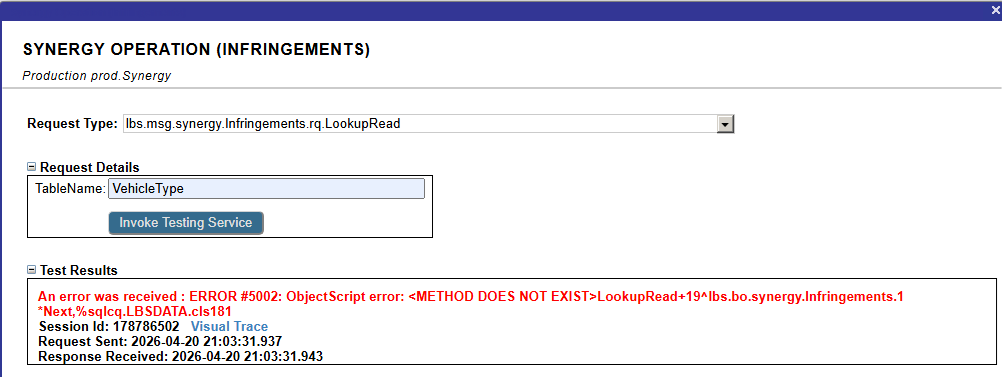
here is the code and query worked fine but it failed at Next()
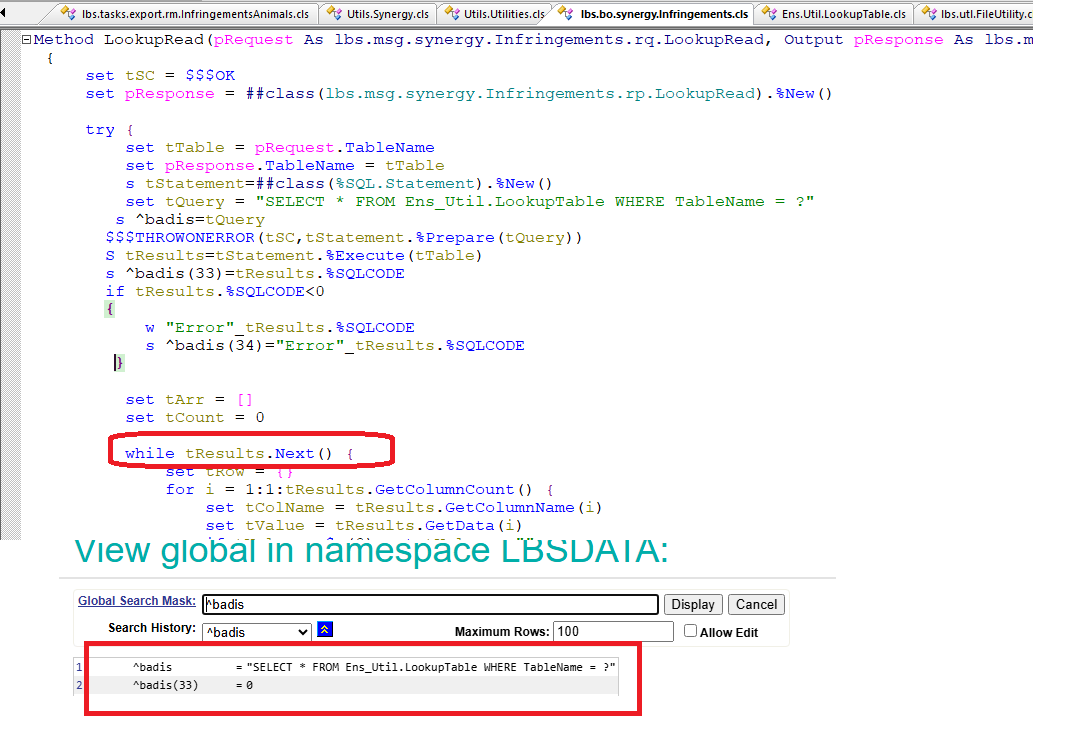
The Method as shown in my examples was "%Next" but you have missed the %.
See this more complete example:
Class Demo.Operations.GetResultsFromLookupTable Extends Ens.BusinessOperation
{

Method OnMessage(pRequest As Ens.Request, Output pResponse As Ens.StringContainer) As %Status
{
    Set tSC = $$$OK
    Set tStatement = ##class(%SQL.Statement).%New()
    Set tQuery = "SELECT * From Ens_Util.LookupTable WHERE TableName = ?"
    Set tTable = "testLookupTable"
    $$$THROWONERROR(tSC,tStatement.%Prepare(tQuery))

    Set tResult = tStatement.%Execute(tTable)
    Set count = 0
    While tResult.%Next(){
	    //Do what you need to with the results here
	    $$$TRACE("Result: "_tResult.KeyName_", "_tResult.DataValue)
        Do $INCREMENT(count)
    }
    Set pResponse = ##Class(Ens.StringContainer).%New()
    Set pResponse.StringValue = count_" results found."
    Quit tSC
}

}
Which gives this in a trace:
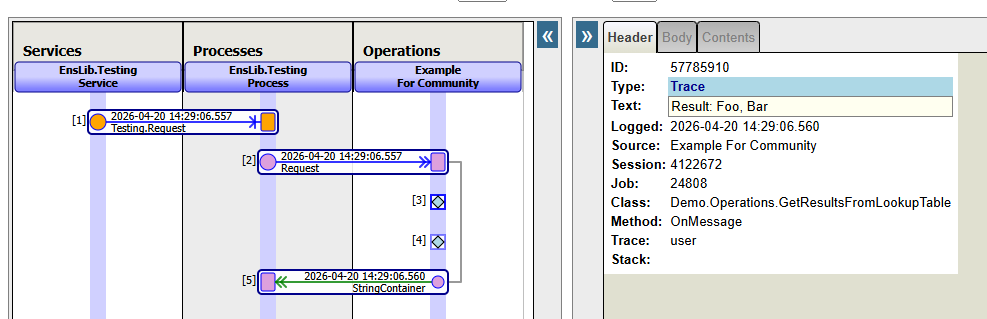
Also, please note that in my initial response, I had a mistake in the column names I referenced. I had put "KeyName" and "KeyValue" whereas the second should have been "DataValue" as you already had in your first screenshot.